
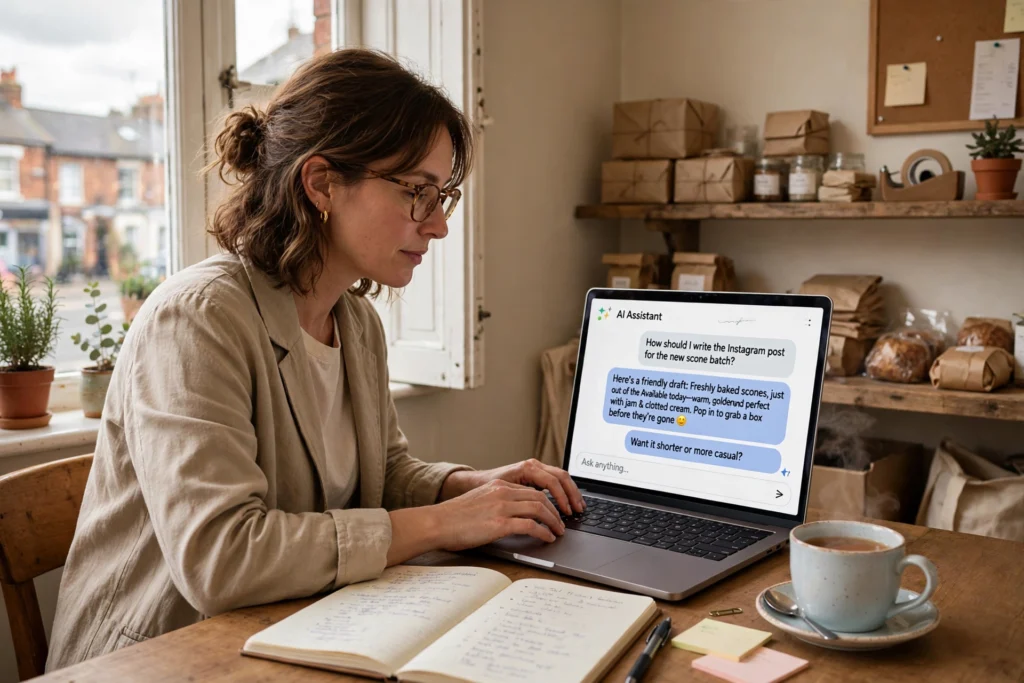
ChatGPT is an AI chat tool that can draft emails, write social media posts, summarise documents, answer customer questions and plan your week. For a small business, the free plan is enough to start: open chatgpt.com, create an account, describe your task in plain words, and check every answer before you use it. Most owners see the benefit within the first week.
If you run a small business in the UK, you have probably heard about ChatGPT a dozen times and wondered whether it is worth your time. The honest answer is yes, but only if you use it for the right jobs. It will not run your business for you. It will take the slow, repetitive writing and planning jobs off your desk so you can spend more time on customers and on the work only you can do.
This guide shows you exactly how to start, what to use it for, what it costs, and where to be careful.
What ChatGPT Can Actually Do for a Small Business
ChatGPT is a chat tool. You type a request in plain English and it writes a reply. Think of it as a fast assistant that drafts, summarises and organises, but never makes the final decision.
For a small business, the useful jobs are the ones you repeat every week: replying to similar emails, writing posts, turning rough notes into clear text, and planning. It is good at first drafts. It is not good at knowing your prices, your customers or your local area, so you always check its work.
Getting Started in 10 Minutes
You do not need any technical skill. Follow these steps:
- Go to chatgpt.com and create a free account with your business email.
- Open a new chat and write one sentence about your business, for example: “I run a small plumbing firm in Leeds with 3 staff.”
- Give it one real task, such as: “Draft a polite email to a customer confirming a visit on Tuesday at 10am.”
- Read the draft. Fix anything wrong, then copy it into your email.
- Repeat the same task for a week. By then you will know which jobs it saves you time on.
Start with the free plan. Pay only when you use it every day and the free plan starts to feel slow or limited.
7 Practical Ways to Use ChatGPT Every Week
1. Reply to customer emails faster
Most customer emails ask the same few questions. Ask ChatGPT to draft the reply, then add your own details before sending. It works well for delivery times, quotes, bookings and polite follow ups.
2. Write social media posts
Give it the facts and the tone you want: “Write a short Facebook post for a local bakery announcing a new sourdough loaf, friendly tone, under 60 words.” You get a usable draft in seconds, and you can ask for a shorter or funnier version.
3. Plan your content and your blog
If you write a blog for your business, ChatGPT can build outlines, suggest titles and turn rough notes into a first draft. Our guide to Bloghold explains how to pick a blogging platform that will not trap your content, and ChatGPT can help you plan what to write on it.
4. Summarise long documents
Paste in a supplier contract, a long email chain or a council letter and ask for a plain English summary in 5 bullet points. Always read the original for anything that involves money or a deadline.
5. Draft product descriptions
Give it the product facts and ask for a short description in your tone of voice. This works well for online shops, menus and service pages.
6. Brainstorm ideas
Stuck for a promotion, a service name or a newsletter topic? Ask for 10 ideas, pick the best 2, and ask it to develop those further. It is a brainstorming partner, not a decision maker.
7. Create images and audio for your content
ChatGPT can also generate images for posts and pages. For more on AI generated visuals, see our guide to AI art generators. And if you want your written content read aloud, our read aloud text to speech guide shows how.
| Everyday task | Example prompt | Time it can save |
|---|---|---|
| Reply to a customer email | “Draft a polite reply to a customer who asks about our delivery times. We deliver in 2 to 3 working days.” | About 10 minutes per email |
| Write a social media post | “Write a short Facebook post for a local bakery announcing a new sourdough loaf, friendly tone, under 60 words.” | About 15 minutes per post |
| Summarise a long document | “Summarise this supplier contract in 5 bullet points, in plain English.” | About 30 minutes |
| Plan the week | “Turn this list of jobs into a simple weekly plan for a team of 3.” | About 20 minutes a week |
| Draft a blog outline | “Give me a blog outline for ‘how to choose a plumber in Leeds’, 6 headings.” | About 30 minutes |
| Write a product description | “Write a 40 word product description for a handmade leather wallet, warm tone.” | About 10 minutes each |
The time savings above are illustrative examples for a typical small business, not measured results. Your own savings will depend on how much writing your week involves.
Which Plan Makes Sense for a Small Business?
OpenAI sells ChatGPT in several plans. The old Team plan was renamed ChatGPT Business in 2025. Prices below are in US dollars and were correct in November 2026. Check the current price on OpenAI’s pricing page before you buy, because prices change.
| Plan | Price (USD, November 2026) | Best for |
|---|---|---|
| Free | $0 | Trying it out and light use |
| Go | $8 a month | Regular light use by one person |
| Plus | $20 a month | Daily use by one person |
| Business | $20 per seat a month on annual billing, or $25 month to month, minimum 2 seats | Small teams that share a workspace and need admin controls |
For most one person businesses, the free plan is enough for the first month. Move to Plus when you use it daily and want faster replies and more features. Choose Business only when 2 or more people need to share the same workspace with proper controls.
What ChatGPT Is Good At, and What Still Needs a Human
| Good at | Still needs a human |
|---|---|
| First drafts of emails, posts and pages | Final checks for facts, prices and dates |
| Summaries and outlines | Advice about your customers and your money |
| Brainstorming ideas | Talking to unhappy customers |
| Rewriting text in a simpler tone | Anything that uses personal customer data |
| Turning rough notes into clear text | Decisions about hiring, pricing and contracts |
The rule is simple: let ChatGPT draft, and let a human decide. Never send its output to a customer without reading it first. It can invent a detail, a price or a date that sounds right but is wrong.
Rules That Keep Your Business Safe
ChatGPT is a useful tool, but a few rules keep it safe:
- Never paste customer personal data. No names with addresses, phone numbers, bank details or health information. Use made up examples instead.
- Never paste passwords or private business data. Keep logins, supplier prices and contracts out of the chat unless you have a business plan with data controls.
- Check every fact. ChatGPT can state a wrong price, a wrong law or a wrong date with confidence. Verify anything a customer will rely on.
- Keep your tone. If the draft sounds too formal or too American for your customers, ask it to rewrite it in plain British English, short sentences, friendly tone.
- Do not use it for legal or tax advice. It can explain a topic in simple terms, but a real adviser should check anything that affects your money or your legal duties.
A Simple Weekly Routine
Here is a routine that takes about one hour a week and covers the basics:
- Monday, 15 minutes: Plan the week. Ask ChatGPT to turn your job list into a simple plan. Our guide to Puzutask can help you manage those jobs once they are planned.
- Wednesday, 20 minutes: Write the week’s social posts and one short email or newsletter draft.
- Friday, 25 minutes: Summarise the week’s emails, draft next week’s blog outline, and clear your inbox replies.
Pair this with a good morning routine so the focused work happens early. Our My Best Hours Report guide explains how to find the hours when you work best and protect them for the jobs that matter.
Frequently Asked Questions
Is ChatGPT free for small business use?
Yes. The free plan costs nothing and covers light daily use. You can upgrade to Plus at $20 a month when you need more. Prices are in US dollars, so check the current UK charge on the pricing page before you pay.
Will ChatGPT replace my staff?
No. It drafts and organises, but it cannot talk to your customers, know your business or make decisions. Small businesses that get the most from it use it to remove repetitive writing, not to remove people.
Is it safe to paste business information into ChatGPT?
Only general information. Never paste customer personal data, passwords, bank details or private contracts into a free or personal account. Business plans offer stronger data controls, but the safest habit is to keep sensitive data out of the chat entirely.
Which plan should a UK small business start with?
Start free. After a month of daily use, most owners move to Plus at $20 a month. Choose Business only when 2 or more people need a shared workspace with admin controls.
Can ChatGPT write my whole website?
It can draft pages, product descriptions and blog posts, but the result still needs a human to check the facts, add real prices and make it sound like your business. A website written entirely by AI, with no checking, will usually read as generic and may contain errors.
Does ChatGPT know UK rules and prices?
It can explain UK topics in general terms, but its knowledge can be out of date. Always check tax, legal and price details against an official source such as GOV.UK or your adviser before you act on them.
Conclusion
ChatGPT is worth trying for almost any small business, because the free plan costs nothing and the first useful draft takes about 10 minutes. Use it for emails, posts, summaries and planning. Check every answer, keep customer data out of it, and let a human make the final call. Start small, keep the routine for a month, and keep the jobs where it clearly saves you time.

More Stories
The Inspiring Journey of Ashley Ann Tahigan Bu in Her Career
My Best Hours Report: Maximize Your Productivity Every Day